Free Delivery   Over   £50  * terms * Most UK Addresses
|
Order Today For Dispatch On or Before  Wednesday 14 October

How to Measure and Order a Canvas Floater Frame

How to measure a stretched canvas and order a floater frame for it: width, height and depth, the shadow gap option and what comes with the frame. Includes a video.

By EasyFrame, Bedford. Updated October 2026. 1 minute read.

Subscribe to our YouTube channel

A canvas floater (tray) frame shows the whole canvas, including its wrapped edges, with a shadow gap between the canvas and the frame, so that the canvas appears to float. There is no glazing and no backing.

Browse canvas floater frames

1. Measuring your canvas

  • Measure the exact width and height of your stretched canvas
  • Measure the depth of the stretcher bars
  • Check both diagonals to make sure your canvas is square

Important: Measure twice and be precise!

2. Placing your order

  • Enter your canvas width and height
  • Choose Shadow Gap (the default) for a 5-7mm gap
  • Choose a frame with an internal depth close to the depth of your canvas (within 5mm)
  • Pick the frame style you like
  • Comes with a Velcro kit and hanging fixtures
  • Pre-drilled holes are optional

3. Shadow gap option
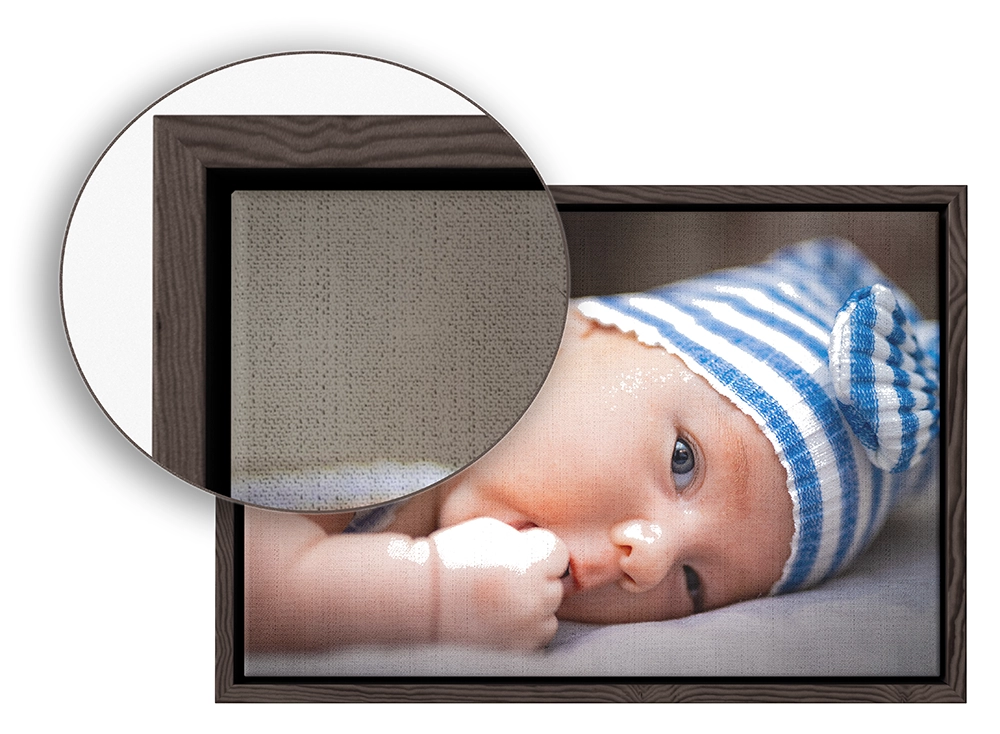
A canvas in a floater frame, with a close-up of the shadow gap at one corner
  • With shadow gap (the default): The frame opening is made 10-14mm larger than the canvas, leaving a 5-7mm gap on each side.
  • Without shadow gap: A much tighter fit, with only 2-4mm of gap in total.

Design a floater frame now

Ready to frame yours?

Print and frameUpload a digital photo and we print and frame it for you. Multi print and frameSeveral photos, printed and framed together in one mount. Already have prints?Order a frame and mount made to measure for them.

Questions? Call 01234 856501 or email sales@easyframe.co.uk.

More how-to guides

How to Create an Advanced Multi Aperture Layout How to Measure, Order & Fit Inset Frames for Canvas Boards How to Order a Picture or Photo Mount See all how-to guides
Software: Kryptronic eCommerce, Copyright 1999-2026 Kryptronic, Inc. Exec Time: 0.004888 Seconds Memory Usage: 1.377426 Megabytes
EasyFrame - Picture Framing Made Easy EasyFrame.co.uk