

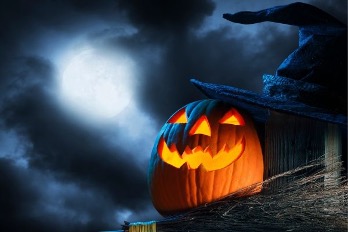
Halloween is when imaginations run wild, and photography is a fine way to capture it. A little planning beats leaving it to the last minute. These tips will help you take photos that are creative and well made.
Slow the shutter for ghosts
A slow shutter speed turns anything that moves into a blur. Put the camera on a tripod, open the shutter for a second or two and have your subject walk slowly through the frame, or stand still for half the exposure and then step away. They will appear as a see-through ghost.
A fast shutter speed does the opposite and freezes the action. Use it for children in costume who are running about. Indoors or after dark, raise the ISO so that the pictures are not too dark.
Keep it dark
Halloween photos should be dark and moody, and cameras do not like that. Left to itself, the camera will try to brighten a dark scene and spoil the atmosphere. There are two ways to stop it:
- Spot metering. The camera measures the light only on your subject, so a face lit by a candle or a torch is exposed correctly and the background stays black.
- Exposure compensation. Dial in a stop or two of underexposure to darken the whole picture.
Bracket your shots
If you are not sure of the right exposure, bracket: take several photos at different exposures and choose the best afterwards. You can change the settings yourself, or let the camera do it with auto-exposure bracketing. Use a tripod so that the framing stays the same.
Play with depth of field
A shallow depth of field makes your subject stand out sharply against a blurred background, which is useful when the background is busy. Use a wide aperture (f/2.8 or wider) and focus on the eyes.
A deep depth of field keeps everything sharp, from front to back. Use a narrow aperture (f/11 or narrower) for a whole group in costume, or a decorated room.
Change the white balance
White balance controls the overall colour of a photo, and you can use it for effect. A cooler setting gives a cold, blue, moonlit look. A warmer one gives the orange glow of candles and pumpkins. Set it by hand, because on automatic the camera will try to correct the very colour you want.
Lighting
Halloween scenes tend to be either too dark or too bright.
- Too dark. A little flash will pick out your subjects, but too much flattens the mood and gives harsh shadows. Turn the flash power down, or use a torch or a lamp instead.
- Too bright. Underexpose slightly for a more mysterious look.
- Daytime. Halloween photos look best after dark. If you must shoot by day, find deep shade, or shoot at dusk.
Creative lighting ideas
- Light from below. A torch held under the chin is the classic spooky portrait.
- Backlight. Stand your subject in front of a window, a doorway or a lamp for a silhouette.
- Coloured light. Red and green are eerie. An ultraviolet 'black light' makes white fabric and fluorescent make-up glow.
- Candlelight. A carved pumpkin lit from inside is a subject in itself, and a soft light for the faces around it.
- Light trails. With a long exposure on a tripod, sparklers, glow sticks and torches draw lines in the air.
Conclusion
Halloween is the perfect excuse to experiment. Indoors or out, there are plenty of ways to make a hauntingly good photo, so get out there and start shooting. When you have one worth keeping, our made-to-measure picture frames will show it off, and we are glad to advise on the best frame.
Call EasyFrame on 01234 856 501 or email sales@easyframe.co.uk. We are happy to talk it through even if you do not want to buy.