

Drone photography has become hugely popular, because it offers a view that used to be impossible. Doing it well takes both technical skill and creativity. Whether you are experienced or just starting, these tips on equipment, composition, light, settings and editing will help you take aerial pictures that stand out.
Understanding drone photography
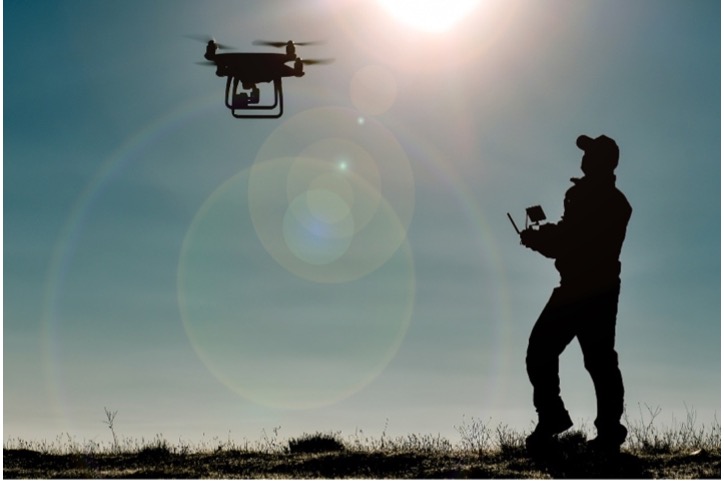
There is more to it than flying a drone and pressing a button. You need to know your equipment, the regulations and the techniques.
Equipment
You need a drone with a camera. They range from basic models to professional machines, and the right one depends on your needs and budget. Most have a built-in camera on a stabilising gimbal, which keeps the picture steady.
You will also want spare batteries, memory cards and a carrying case.
Techniques
The basics of photography apply in the air as on the ground. Composition is how you arrange what is in the frame. Exposure is how much light reaches the sensor, which governs brightness and contrast. Focus is what makes the subject sharp.
On top of that you have to fly the drone smoothly to where the picture is. Practise in an open space until the controls are second nature.
Rules and safety
In the UK, drones are regulated by the Civil Aviation Authority (CAA). The rules are updated from time to time, and they depend on the weight and class of your drone, so read the current Drone and Model Aircraft Code on the CAA website before you fly. The essentials are:
- Register. Most camera drones must be registered, and the person flying must pass a short online test.
- Keep the drone in sight. You must always be able to see it.
- Stay below 120 metres (400 feet) above the ground.
- Keep away from people and built-up areas. Never fly over crowds. The distances you must keep from people and buildings depend on your drone.
- Stay out of restricted airspace. Airports and airfields have flight restriction zones, and other places are restricted too.
- Respect privacy. Do not photograph people where they would expect to be private.
Commercial work and anything outside the standard limits may need authorisation from the CAA and insurance. Breaking the rules can mean a fine or prosecution, and it can hurt someone.
Check the weather as well. Strong wind and rain can damage a drone and ruin the pictures.
Use different angles and viewpoints
A drone can go where no tripod can, so experiment.
- Height. Higher gives a broad view of the landscape. Lower gives a more intimate one. Higher is not always better.
- Camera tilt. Pointing straight down turns the ground into pattern. Tilting up brings in the horizon and adds depth.
- Position. Fly round your subject to find its best side.
- Movement. For video, circling a subject or flying steadily towards it gives a dramatic shot.
The aim is always an interesting picture that shows the subject at its best.
Types of drone photography
Landscapes
Landscapes are the most popular subject, with mountains, valleys, coast and fields all seen from above.
- Look for patterns and textures in the land.
- Use the rule of thirds for a balanced composition.
- Shoot in the golden hours after sunrise and before sunset, when low light throws long shadows.
- Try different heights and camera angles.
Cityscapes
Towers, bridges and street patterns look striking from the air, but built-up areas are where the rules are tightest, so check what is allowed before you plan a flight.
- Look for architectural detail and pattern.
- Shoot in the blue hour, just after sunset, when the lights are on and the sky still has colour.
- Use reflections in glass and water.
Wildlife
Drones can photograph animals in their habitat, but they can also frighten them. Disturbing some protected species is an offence.
- Keep well away, and leave if an animal reacts.
- Use a fast shutter speed to freeze movement.
- Shoot in bursts.
Editing
Editing is an essential part of drone photography.
- Shoot in RAW. RAW files keep all the data from the sensor, so you can adjust exposure, contrast and colour without losing quality.
- Use editing software. Programs such as Adobe Lightroom, Capture One and Luminar offer noise reduction, sharpening and correction of lens distortion.
- Adjust exposure and contrast. Aerial scenes often combine bright sky with dark land. Balancing them brings out detail in both.
- Use filters. A polarising filter cuts glare and deepens the colours of sky and land. A neutral density filter allows a slower shutter speed, which smooths water and cloud and gives more natural-looking video.
- Try black and white. It suits dramatic scenes and strong patterns, and gives a timeless feel.
Conclusion
Drones have changed photography. With the right equipment, sensible settings, a good eye and respect for the rules, you can take pictures that were out of reach a few years ago.
Aerial photographs look superb printed large and framed. EasyFrame offers a wide range of made-to-measure frames, and with long experience we can advise on the perfect frame for your picture. Call us on 01234 856 501 or email sales@easyframe.co.uk. We are always happy to talk, whether or not you want to buy.